
My Simple System for Managing Bills To Avoid Forgetting (And Late Fees)
This website may earn commissions from purchases made through links in this post. As an Amazon Associate, I earn from qualifying purchases.

Tired of missing bills and paying late fees? Here’s a simple, frugal-friendly system for organising and managing bills so nothing slips through the cracks.
Forgetting to pay the bills = wasted money in late fees.
But digital bills make it harder to keep track than ever.
At least, I need visual reminders; otherwise, out of sight, out of mind for me.
And it’s easy for bills to get lost and forgotten in my inbox.
Not only that, with bills hidden in email, it can be hard to keep track of when bills are DUE.
When our council went paperless, for some weird reason, ours never made it to my inbox despite multiple phone calls to the council where we would double-check my details, and no, it’s not in spam.
Then six months later, we’d play the Where’s my rates game all over again.
Because if I didn’t pay on time, I’d have to pay a ton extra. It would have added up to thousands of dollars over the years until they finally fixed their system!
If you’re like me, and need visual reminders, or notifications to not forget stuff, then here’s the system I developed to manage the bills and keep track of when they are due so if they do end up in spam, or they don’t get delivered for whatever reason, I can make sure I’m not penalised.
Disclaimer: This is general information only. In this blog, I share my personal savings and budget stories and what works for us. You should always consult a qualified financial expert when making money decisions (not a random stranger on the internet like me – or even your mate at the pub).
My System for Managing the Bills
This is just what works for me.
Since I first wrote this in 2009, my system has changed and evolved. Many service providers, like electricity companies, have apps and some offer notification services for bills, which is an alternate way to keep track of bills.
However, while I could rely on bank notifications or provider reminders, I prefer my own system so I’m not caught out if an app fails, changes, or doesn’t send the alert in time.
What can I say? I’m a control freak. But that’s saved my bacon a few times over the years, as I explain below.
You might also like:

Where All My Bills Go (and Why)
I get all our bills sent to my main email address, so they’re all in one place.
We’re actually thinking about switching to a joint email account, so if anything happens to me, my husband can still see everything and nothing falls through the cracks. At the moment, I’m our household’s CFO, but that means all the ‘life admin’ falls on me. Which works for us…until it doesn’t.
Anyway, in our current system, when a bill arrives, I move it straight into a dedicated “Follow Up” folder in my email. That way, it’s out of my inbox but still easy to find when I do my weekly review and schedule payments.
If you use Gmail, you can add a label to emails, which effectively acts as a folder.
Scheduling Bills in My Calendar
When I get a bill, I add it to my calendar, unless it’s already scheduled as a recurring bill, then I can forever skip this step. Although it is worth double-checking, the date is still correct.
When I add a bill to my calendar, I set the pay date a few days before it’s actually due. That way, there’s no chance of it being late — handy for BPAY, which can still take a couple of days to process.
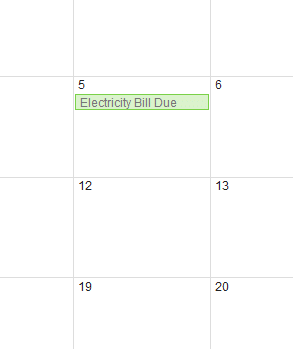
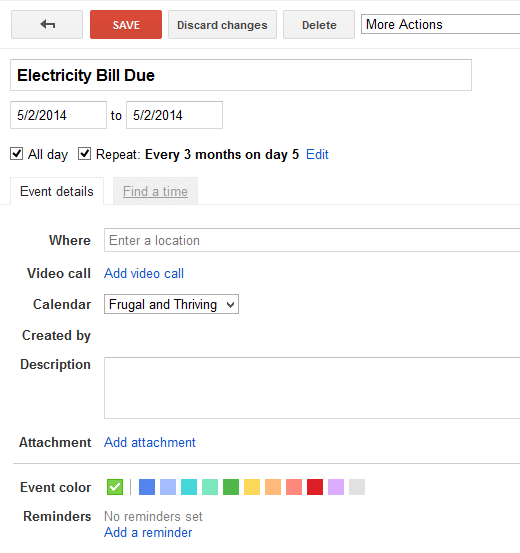
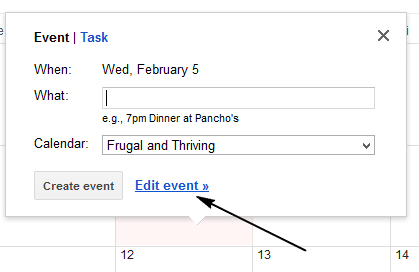
If it’s a regular bill, I set it as a recurring event to make life easier in the future.
Google Calendar lets me attach the bill PDF to the event too, which makes it easy to find when I’m ready to pay, but since I started using a “Follow Up” folder in my email, I don’t attach the PDF as much anymore.
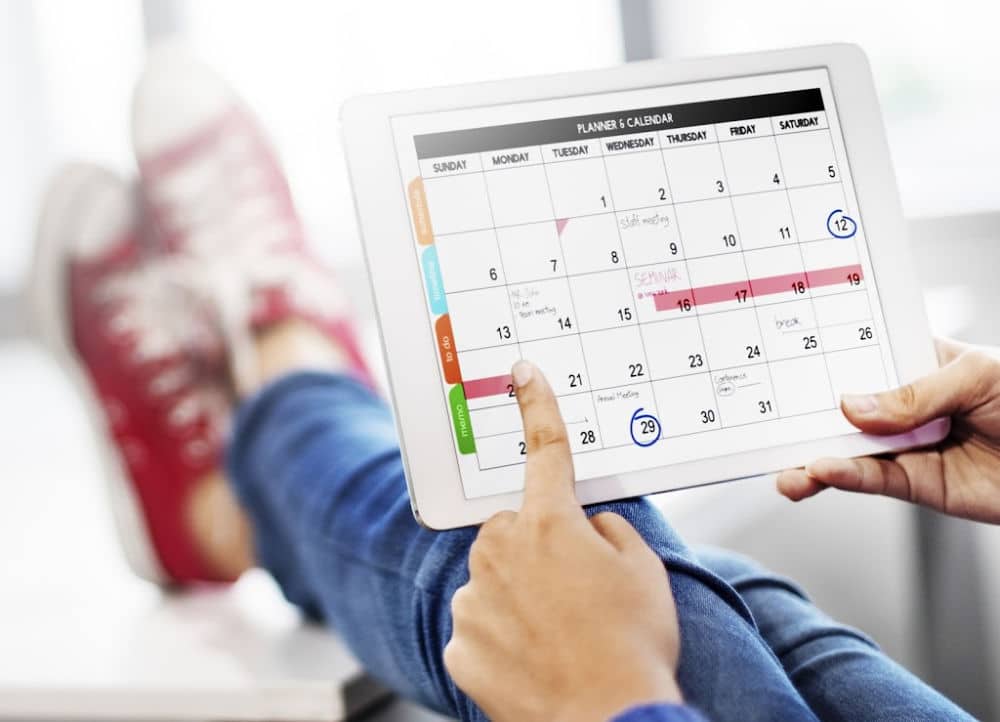
Even if you’re not a big calendar person, it’s worth using one for bills because it’s quick, searchable, and easy to see when bills are due at a glance.
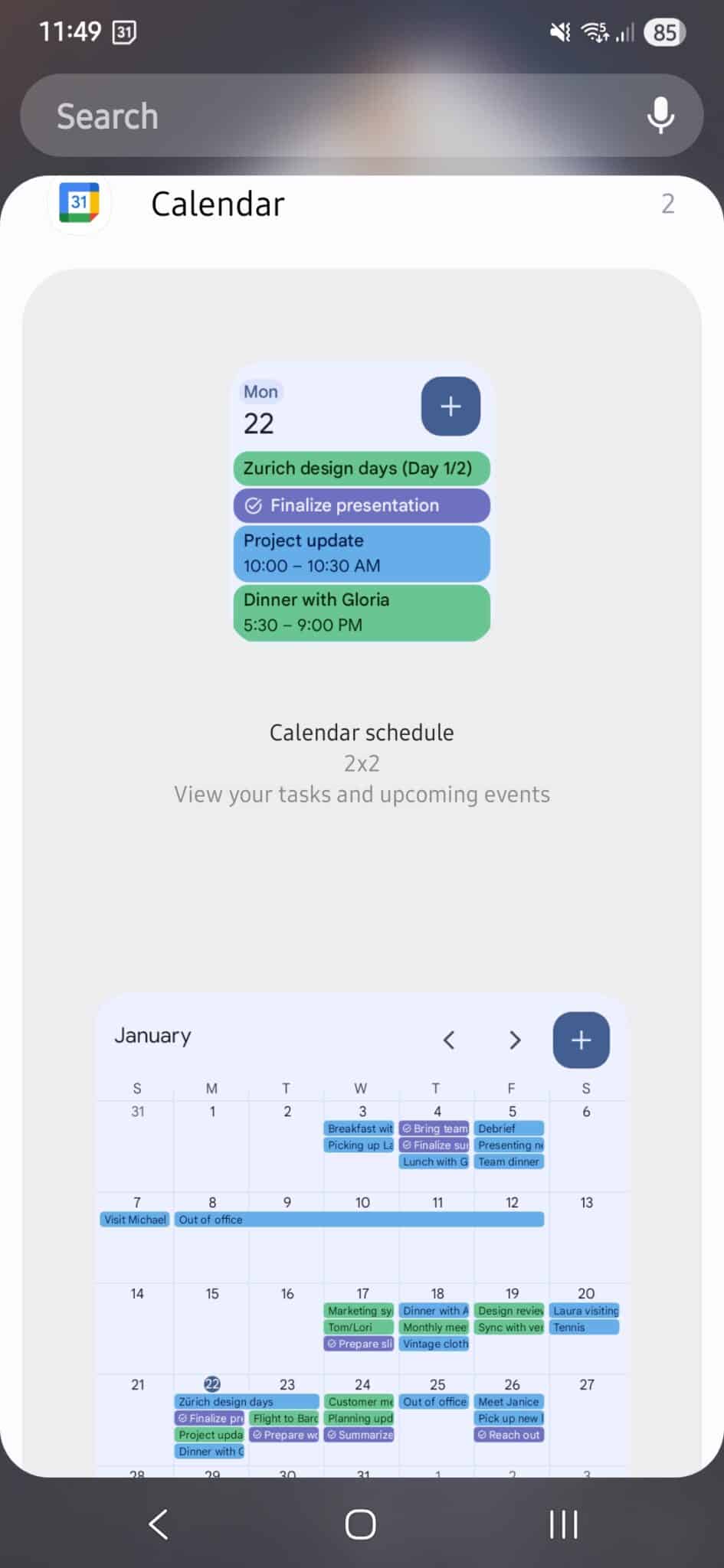
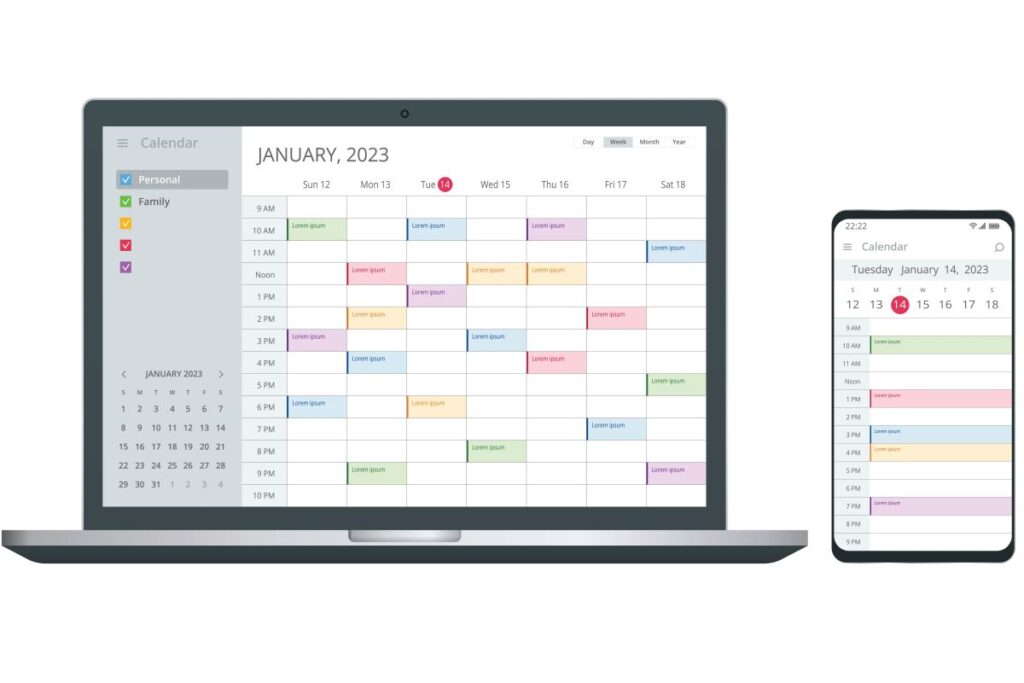
I’m on my computer a lot, but I also use the widget feature for Google Calendar on my phone. One homescreen is a full month’s calendar, so I can see everything coming up at a glance, on my phone.
You might also like:
Paying Bills and Keeping a Record
I prefer to pay most bills manually rather than automating them. It keeps me aware of due dates and cash flow, and I can keep an eye on any mistakes in the bill.
For example, our council forgot to charge us for the recycling bin, and then we had to backpay three years of bin fees. I learned the hard way to always check the bill before paying.
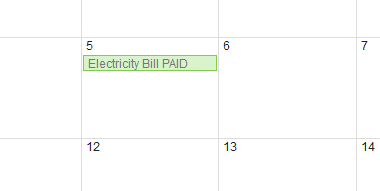
Once I’ve made a payment, my internet banking gives me a receipt number. I copy that number into my electronic calendar on the bill’s due date, so if I ever wonder, “Did I pay that?” I can check at a glance.
Changing the calendar entry from “Bill Due” to “Bill Paid” makes it easy to see what’s been taken care of.
I’ve had companies chase me for payments I’d already made, so having the receipt number right there is a lifesaver. Yes, I could check the banking app, but this way is quicker and easier. When I’m having a mild panic about a bill, quicker and easier is essential.
Once I’ve paid the bill, I move the email from the “Follow Up” folder to the “Bills Paid” folder.
That folder has saved me more than once.
In a dispute over water usage in our townhouse block (14 homes, one shared meter, so we all pay the same no matter what we use – it’s not ideal), I was able to pull up 15 years of bills to prove usage hadn’t actually increased. And you better believe I spreadsheeted and graphed every one of those years, ’cause I’m a bit extra like that.
A Note on My Weekly Review
This is a newer system I’ve been doing for maybe two years now. Life admin feels like it’s tripled since the kids became teenagers, so I rolled bill paying into my weekly review to stop it from getting overwhelming.
Instead of paying bills at random times, I batch them. Once a week, I sit down and take care of all the bill paying and other “life admin” in one go. It means I’m not leaving things until the last minute and I’m not drip-feeding admin tasks into every single day.
My weekly review happens on Sundays. I pay any upcoming bills, double-check our budget, clear out my inbox, meal plan, start the grocery list, and look at the week ahead. I also deal with non-urgent school emails or anything else I’ve been putting off.
Anything that’s not urgent during the week gets dropped into my “Follow Up” folder, and part of the weekly review is clearing that folder completely. It’s a simple habit, but it keeps everything ticking over without life admin taking over my life.
You might also like:
As someone with an accounting background, I’m a little obsessed with good ‘internal control’ procedures and creating ‘paper trails’ or, in this case, paperless trails.
When I keep adequate records (and, ahem, file them correctly), it makes life so much easier later on, especially if I forget whether I’ve paid or not (happens more often these days), or if there’s a dispute.
This method might not suit everyone, but it’s kept our bills organised and late-fee free for years, and for me, that’s worth its weight in gold.
How do you manage your electronic bills? Why not share your best tips in the comments below?





Great post! Your system is similar to the one we have here, but you forgot one vitally important step – BACK UP!!! If you forget to back up your records, then the whole system could go ka-blooey!
Kate, you are so right! Something that I often think about doing, but don’t do often enough!
I’ve missed my bill a couple of times. I set up direct debits to try and avoid this but AGL have twice now charged me direct debit dishonor fees even though the account has 10k in it. Rediculous
This is something I really should do, as I tend to misplace bills these days amongst the school paperwork and childcare artwork. Unfortunately it always seems to be the rates bill. I also had a mouse decide to nest in my paid bills drawer, really hoping any tax return related bills were not shredded for its nest.
So far I tend to use OneNote for keeping receipts details for one off on-line payments and purchases. It can handle links to other documents or actually store a copy of the document on the page. It can also link to Outlook for reminders. I could probably set a system up for myself that way.
Thanks for getting me thinking about this. I tend to hang onto bills for 3 or so years before throwing them, might be a better way of handling this.
Oh just remembered, you can always scan your paper bills to PDF
@Astrid, thanks for the tip on scanning bills to PDF, I really should do that! When I find some time… I am a big fan of OneNote. Nothing else quite like it.
@Ben, you should make a complaint to them, I’ve always found that gets things rectified.